In March 2023 Georgi Gerganov published llama.cpp, a modest attempt to run Meta's new LLaMA model "using 4-bit quantization on a MacBook". Three years later Apple has included LLM prompt processing in its own Mac Studio press release benchmarks. The Mac's advantage was memory. A Mac Studio M5 Ultra gives a model 96 GB or more, and its text generation on the 27B models that lead our Score is faster than an RTX 4090 by our estimate. How much memory you require depends on the largest model you want to run, and your choice of chip depends on the speed you can live with. If you are working with long prompts in a coding agent, the Mac is still slow at reading them.
Key takeaways
- Your model choice depends on how much memory you have, and its speed on the chip. The estimated generation speed of an M5 Ultra on Qwen3.8 27B is 49.3 tok/s with 96, 256 or 512 GB alike.
- The 27B class needs a minimum of 24 GB, and loading the best model that fits on smaller Macs may require a higher macOS GPU memory limit.
- On a 4,096-token prompt on the 27B, the estimated wait before answering is about 17 seconds for an M5 Max, while it is about 3 for an RTX 4090.
- The 512 GB Mac Studio costs more than two 256 GB ones, yet the best model in our data stays the same, at 4-bit instead of 3-bit.
From a weekend hack to Apple's spec sheet
The llama.cpp README said, "This was hacked in an evening - I have no idea if it works correctly" (quoted by Simon Willison). A MacBook was the natural target. Apple silicon provides a pool of memory that the CPU and GPU share, so a laptop with 64 GB can hand most of it to a model without having to squeeze it into the memory on a PC's graphics card.
In 2023 Apple's machine-learning research group introduced MLX, a framework built around shared memory ("Arrays in MLX live in shared memory", says its README). The M5 generation has a Neural Accelerator in every GPU core, and the August 2026 Mac Studio launch promised Macs that "run enormous LLMs entirely on device". The hack had become a selling point.
Same chips, three boxes: Mac Studio, Mac mini and MacBook Pro
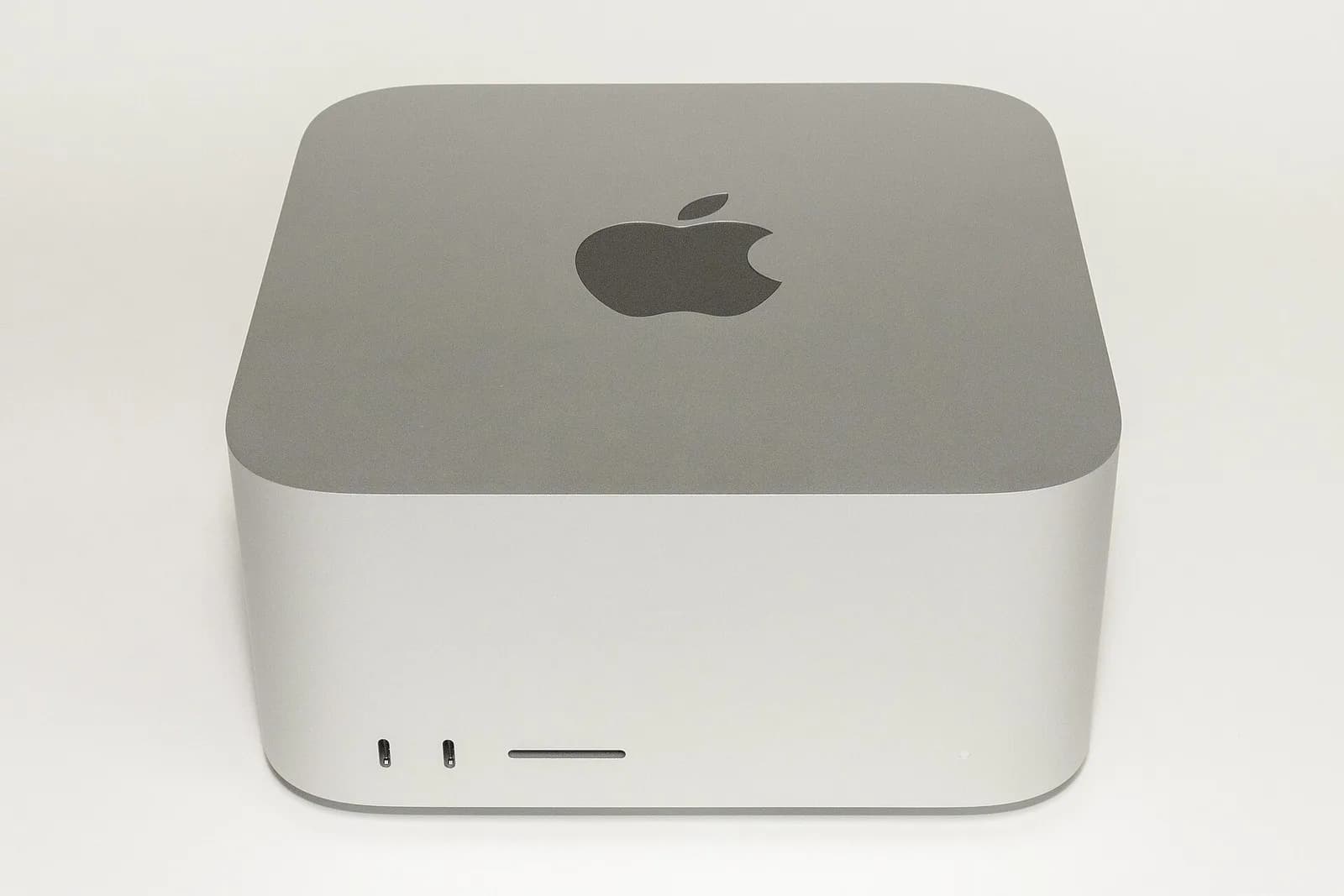
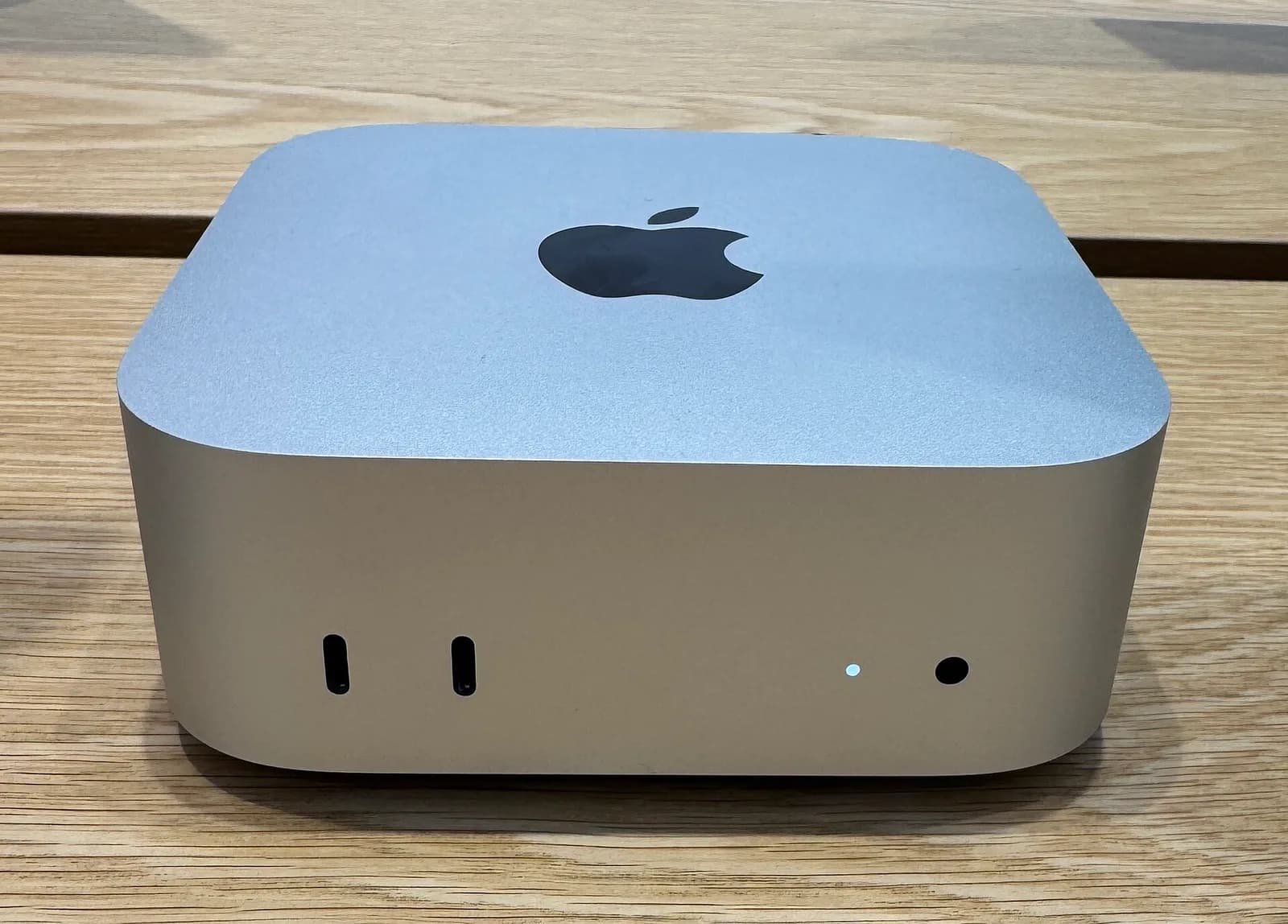
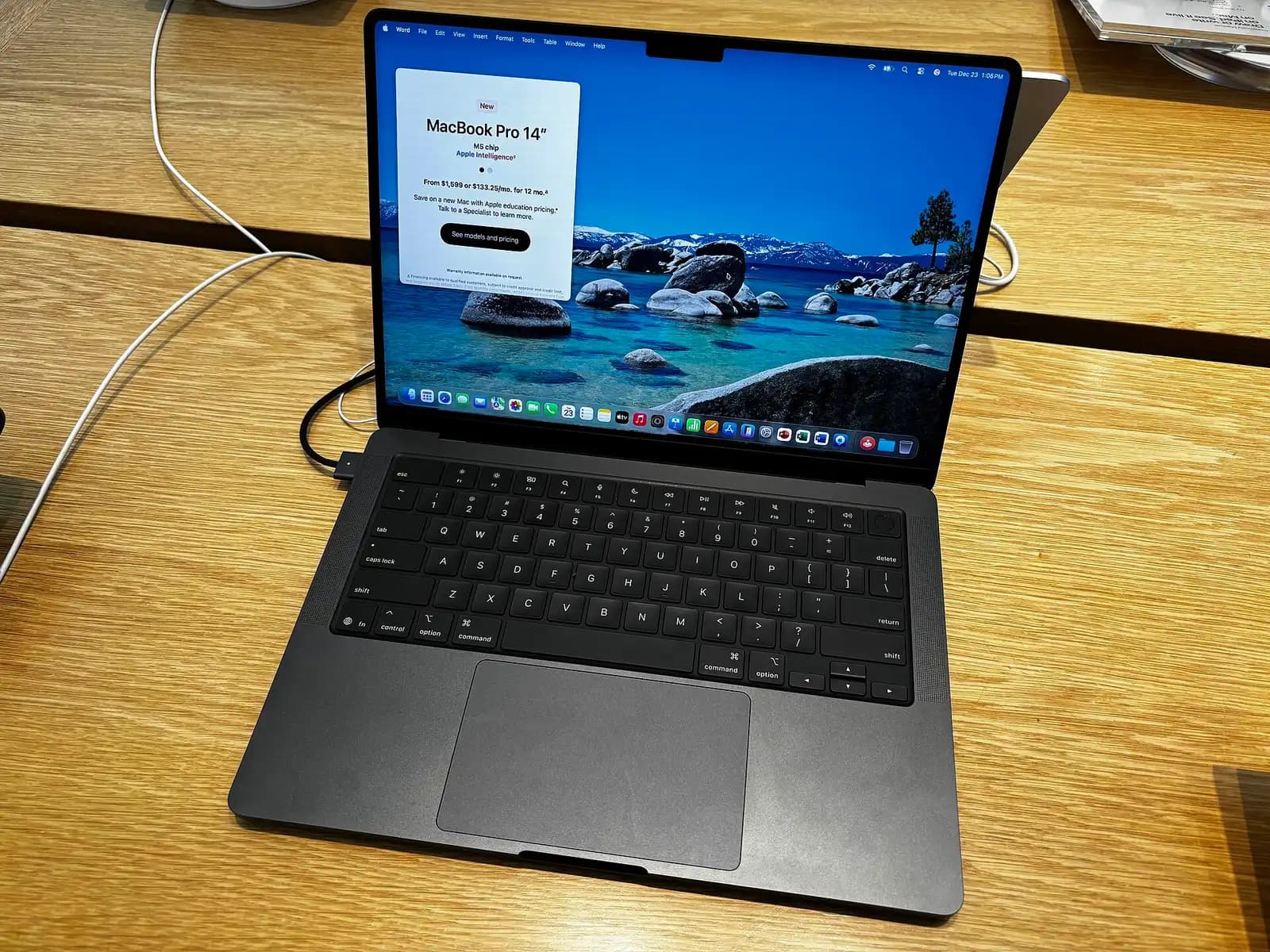
In November 2026 the lineup is easier to read by chip than by product name. M6 comes with up to 32 GB in the Mac mini and the 14-inch MacBook Pro. M5 Pro is available with up to 64 GB in the Mac mini and the 16-inch MacBook Pro, while the M5 Max comes with up to 128 GB in the MacBook Pro and Mac Studio. M5 Ultra consists of two M5 Max chips joined into one, with up to 512 GB available only in the Mac Studio.
Memory first: what each size holds
Fit comes before speed. We count a Mac's memory minus 3.5 GB for macOS and your apps as available to a model, with every model sized for a 16K-token context.
| Mac memory | Usable by our count | Largest that fits at Q4_K_M |
|---|---|---|
| 16 GB | 12.5 GB | Qwen3.5 9B (6.6 GB) |
| 24 GB | 20.5 GB | Qwen3.8 27B (17.9 GB) |
| 32 GB | 28.5 GB | Qwen3.6 35B A3B, MoE (22 GB) |
| 48 GB | 44.5 GB | Qwen3.6 35B A3B; GPT OSS 120B only at IQ2_M (40.2 GB) |
| 64 GB | 60.5 GB | Llama 3.3 70B (51.3 GB) |
| 96 GB | 92.5 GB | GPT OSS 120B (70.8 GB) |
| 128 GB | 124.5 GB | GPT OSS 120B; MiMo V2.6 Flash RL at IQ2_M (105.4 GB) |
What matters most is the step to 24 GB. The choice below that is between 9B and 14B models. At 24 GB Qwen3.8 27B fits and, by our llmrun Score, stays the best model a Mac can hold until 128 GB. On a 24 GB Mac, it takes up 87% of the usable memory, so room will run out in a long conversation. Every quant at 8K to 64K is covered in our breakdown of the 27B's memory.
Past 64 GB, larger mixture-of-experts models are the main reason for more memory. Llama 3.3 70B fits a 64 GB Mac and scores 79.9 on our Score, well below the 27B's 121.9. On chips below the M5 Ultra it runs at estimated single-digit speeds, so we would not size a purchase around it.
The limit macOS sets by default
The "usable" column assumes almost all of the memory is available to the GPU. That is not how macOS comes out of the box. The default is not documented by Apple, but driver code quoted in a llama.cpp discussion reserves a third of memory on Macs up to 32 GB and a quarter above that. For the GPU on a 24 GB Mac, that would mean about 16 GB, less than the 27B needs.
This limit mostly affects models at the bottom of each memory range: the 27B on 24 GB, the 35B MoE on 32 GB and the 70B on 64 GB. The larger configurations can handle the best model with plenty of headroom.
How fast it feels
Text generation is a memory-bandwidth job. Every token requires reading all of a dense model's weights. The wider the chip's memory bus is, the faster the model runs, with memory size making no difference once it fits.
- M5 Ultra (1,228 GB/s)49.3
- M5 Max 48 GB and up (614 GB/s)24.7
- M4 Max 48 GB and up (546 GB/s)21.9
- M5 Max 36 GB (460 GB/s)18.5
- M5 Pro (307 GB/s)12.3
- M6 (170 GB/s)6.8
- M5 (154 GB/s)6.2
| Item | tok/s, estimated, Qwen3.8 27B Q4_K_M |
|---|---|
| M5 Ultra (1,228 GB/s) | 49.3 |
| M5 Max 48 GB and up (614 GB/s) | 24.7 |
| M4 Max 48 GB and up (546 GB/s) | 21.9 |
| M5 Max 36 GB (460 GB/s) | 18.5 |
| M5 Pro (307 GB/s) | 12.3 |
| M6 (170 GB/s) | 6.8 |
| M5 (154 GB/s) | 6.2 |
The average reading speed for adults is about 238 words a minute, roughly four words a second. By our estimate, an M5 Max generates text comfortably faster than anyone can read along, at about 25 tok/s. The estimated output on an M6 is about 7 tok/s, slow enough that you watch the 27B type. The cut-down M5 Max with 36 GB has less bandwidth than the full chip, and is closer in estimated speed to the M4 Max.
These ratios agree with other people's runs. An M5 Max generates about 64% as fast as an RTX 4090 on the same 7B model, according to llama.cpp's Apple silicon scoreboard and the CUDA scoreboard. Our estimate for a 9B stands at 66%.
- Qwen3.8 27B
- Qwen3.6 35B A3B
RTX 5090 (32 GB)
Qwen3.8 27B66.9Qwen3.6 35B A3B213.3RTX 4090 (24 GB)
Qwen3.8 27B37.6Qwen3.6 35B A3B151Mac Studio M5 Ultra
Qwen3.8 27B49.3Qwen3.6 35B A3B87.9Mac Studio M5 Max
Qwen3.8 27B24.7Qwen3.6 35B A3B67.8
| Item | Qwen3.8 27B | Qwen3.6 35B A3B |
|---|---|---|
| RTX 5090 (32 GB) | 66.9 | 213.3 |
| RTX 4090 (24 GB) | 37.6 | 151 |
| Mac Studio M5 Ultra | 49.3 | 87.9 |
| Mac Studio M5 Max | 24.7 | 67.8 |
The right-hand bars have the better news for cheaper Macs. A mixture-of-experts model reads only a few billion parameters per token, so a base M5 MacBook Air with 32 GB can run Qwen3.6 35B A3B at an estimated 28.6 tok/s, slower than an M5 Ultra on the dense 27B.
The wait before the first word
Before answering, the machine has to read your whole prompt, and that needs raw compute more than bandwidth. Apple's GPUs have far less raw compute than Nvidia's. In a chat, you will not notice the difference. When you paste a long file into an agent, you will notice it.
- Mac Studio M4 Max33.1
- Mac Studio M5 Max16.7
- Mac Studio M5 Ultra10.5
- RTX 40903.1
- RTX 50902.4
| Item | seconds to first token, 4,096-token prompt, Qwen3.8 27B Q4_K_M, estimated |
|---|---|
| Mac Studio M4 Max | 33.1 |
| Mac Studio M5 Max | 16.7 |
| Mac Studio M5 Ultra | 10.5 |
| RTX 4090 | 3.1 |
| RTX 5090 | 2.4 |
Compared with the M4 Max, the M5 generation gets to the first word in half the time by our estimate. The Neural Accelerators account for that: Apple's MLX research note says the first token "is compute-bound, and takes full advantage of the Neural Accelerators", and measured a base M5 reaching it up to 4.06 times sooner than an M4.
Our estimates for the Mac are probably on the conservative side. The M5 Max's prompt processing is up to 3.9 times the M4 Max's according to Apple, compared to about 2 times by our estimate. A 4090 reads a 7B prompt about 3.7 times as fast as an M5 Max on the llama.cpp scoreboards, closer than in our estimates. Either way, the order stays the same, and agents send prompts that long on every turn. A MoE model cuts the wait a lot: Qwen3.6 35B A3B is estimated to start in about 3 seconds on the M5 Max.
MLX, llama.cpp and Ollama
Either llama.cpp or MLX can be used on a Mac. llama.cpp runs GGUF files, the format nearly every model is published in, and our estimates use the quant names from that format (Q4_K_M and the rest). Apple's MLX has its own model conversions on Hugging Face. Ollama moved its Mac engine onto MLX in a March 2026 preview after using llama.cpp underneath. It reported close to double the generation speed on Qwen3.5 35B A3B, but the comparison also switched from Q4_K_M to NVIDIA's NVFP4 format.
We recommend starting with your app's default and trying the MLX build of the same model if speed matters. All of our speed estimates are for GGUF quants. MLX can be faster on the same Mac, and Apple used MLX for its own work on the M5 accelerators.
Mac mini, MacBook Pro or Mac Studio
The estimate is the same for any box with the same chip and memory. What matters is the memory ceiling. A Mac mini reaches 64 GB with the M5 Pro and a MacBook Pro reaches 128 GB with the M5 Max, with the Ultra offered only in the Mac Studio. Our MacBook figures are a best case, since sustained full laptop speed through a long run is not included in our estimates.
| Hardware | Memory GB | Bandwidth GB/s | Price | Speed |
|---|---|---|---|---|
| Mac Mini M6 (32 GB) | 28.5 | 170 | $1,299MSRP (best) | 31 |
| Mac Mini M5 Pro (48 GB) | 44.5 | 307 | — | 47 |
| MacBook Pro 14-inch (M5 Pro) | 60.5 | 307 | $2,299street · Oct 12 | 47 |
| MacBook Pro 16" M5 Max (128 GB) | 124.5 (best) | 614 | $5,399MSRP | 68 |
| Mac Studio M5 Ultra (96 GB) | 92.5 | 1,228 (best) | $5,499MSRP | 88 (best) |
- GB · higher is better
- GB/s · higher is better
- Mac Mini M6 (32 GB)$1,299MSRP
- MacBook Pro 14-inch (M5 Pro)$2,299street
- MacBook Pro 16" M5 Max (128 GB)$5,399MSRP
- Mac Studio M5 Ultra (96 GB)$5,499MSRP
- USD · lower is better
- tok/s · higher is better
At a list price of $1,299 in our data, the Mac mini M6 with 32 GB is the cheapest serious option. On the 35B MoE, it is estimated at 30.9 tok/s but is still slow on the 27B. A Mac mini M5 Pro and a Mac Studio M5 Max load the same models with the same 48 GB, but the Studio is estimated to run the 27B twice as fast. The 128 GB MacBook Pro M5 Max and the 128 GB Mac Studio both have the same chip and memory.
Where more memory stops paying
Adding more memory to the same chip does nothing beyond letting different models and quants load. The M5 Max is an example.
| Model | Mac Studio M5 Max (36 GB) | Mac Studio M5 Max (48 GB) | Mac Studio M5 Max (64 GB) | Mac Studio M5 Max (128 GB) |
|---|---|---|---|---|
| Qwen3.8 27B | B, DecentQ4_K_M · ~19 tok/s | A, Runs wellQ4_K_M · ~25 tok/s | A, Runs wellQ4_K_M · ~25 tok/s | A, Runs wellQ4_K_M · ~25 tok/s |
| Qwen3.6 35B A3B | A, Runs wellQ4_K_M · ~59 tok/s | S, Runs greatQ4_K_M · ~68 tok/s | S, Runs greatQ4_K_M · ~68 tok/s | S, Runs greatQ4_K_M · ~68 tok/s |
| Llama 3.3 70B Instruct | D, Barely runsIQ2_M · ~12 tok/s | D, Barely runsQ3_K_L · ~11 tok/s | C, UsableQ4_K_M · ~9 tok/s | B, DecentQ4_K_M · ~9 tok/s |
| GPT OSS 120B | Doesn't fitneeds 40 GB+ | A, Runs wellIQ2_M · ~85 tok/s | C, UsableQ4_0 · ~72 tok/s | S, Runs greatQ4_K_M · ~66 tok/s |
- A, Runs wellQwen3.6 35B A3BQ4_K_M · ~59 tok/s
- B, DecentQwen3.8 27BQ4_K_M · ~19 tok/s
- D, Barely runsLlama 3.3 70B InstructIQ2_M · ~12 tok/s
- —GPT OSS 120BDoesn't fit · needs 40 GB+
- S, Runs greatQwen3.6 35B A3BQ4_K_M · ~68 tok/s
- A, Runs wellGPT OSS 120BIQ2_M · ~85 tok/s
- A, Runs wellQwen3.8 27BQ4_K_M · ~25 tok/s
- D, Barely runsLlama 3.3 70B InstructQ3_K_L · ~11 tok/s
- S, Runs greatQwen3.6 35B A3BQ4_K_M · ~68 tok/s
- A, Runs wellQwen3.8 27BQ4_K_M · ~25 tok/s
- C, UsableGPT OSS 120BQ4_0 · ~72 tok/s
- C, UsableLlama 3.3 70B InstructQ4_K_M · ~9 tok/s
- S, Runs greatQwen3.6 35B A3BQ4_K_M · ~68 tok/s
- S, Runs greatGPT OSS 120BQ4_K_M · ~66 tok/s
- A, Runs wellQwen3.8 27BQ4_K_M · ~25 tok/s
- B, DecentLlama 3.3 70B InstructQ4_K_M · ~9 tok/s
At Q4_0, GPT OSS 120B squeezes into 64 GB using 98% of the space, which we grade as a poor fit. At 128 GB it has room to spare at Q4_K_M.
All three memory sizes of the M5 Ultra have the same estimated speed on the same model and quant, making the same point on a larger scale:
| M5 Ultra memory | List price | Best-scoring model that fits well | Estimated tok/s |
|---|---|---|---|
| 96 GB | $5,499 | Qwen3.8 27B (Score 121.9), Q4_K_M | 49.3 |
| 256 GB | $9,499 | Inkling 2 Small (134.7), IQ3_XXS | 57.9 |
| 512 GB | $22,299 | Inkling 2 Small (134.7), Q4_K_M | 46.5 |
The upgrade from 96 GB to 256 GB gives you a better model. The model stays the same at 512 GB, with a higher-bit quant. MacRumors reported that the 512 GB option alone adds $15,500 to the price, so two 256 GB Studios cost less than one 512 GB machine.
Two Studios can be used together as one. Apple claims that clustering four Studios over Thunderbolt 5 with RDMA can make inference up to 3 times faster than one. In December 2025 Jeff Geerling used four M3 Ultra Studios with the Exo software and got about 32 tok/s on Qwen3 235B, with every Mac cabled directly to every other because Thunderbolt 5 switches do not exist. We do not estimate clustered speeds; this is a project for people who enjoy the setup.
Verdict
Our view
For most people, 24 to 64 GB on an M5 Max is enough; choose an M5 Ultra for much larger MoE models and estimated RTX 4090 speeds on the 27B. Choose the memory for the model and the bandwidth for speed, since spending past 256 GB mostly buys a higher-bit quant of the same model.
Good for
- Models bigger than 24 or 32 GB in a Mac instead of a multi-GPU PC.
- An M5 Max or M5 Ultra for chat and 27B-class work at reading speed or better by our estimate.
- A single box with 128 to 256 GB for large MoE models.
- A MacBook Pro with 32 GB or more as a laptop that can also run a capable model.
Not for
- People feeding long documents to coding agents all day: an RTX 4090 is estimated to start answering about five times sooner.
- People choosing 64 GB for dense 70B models: they fit, but estimated speeds stay in single digits on anything below the Ultra.
- Readers expecting a quick 27B on base M5 and M6 chips: it fits with 24 GB and up, but is estimated to type slower than you read.
Questions
How much memory does a Mac need for local LLMs?
Why won't a model load on my Mac when it should fit?
sudo sysctl iogpu.wired_limit_mb=N, choosing N above the model size in megabytes but below total memory; it resets after a reboot.